01 / Containers
Start from a Docker image.
Choose an image, set the command, and configure the container's environment and mounts. Bring private registry credentials when you need them.
Build a container task →Visual workflow builder · Public beta coming soon
Connect Docker containers, server groups, AI agents, and human approvals. Build visually on your machine, then share the workflow with your team.
Choose an image.
Set the command.
Give an agent the context
and a clear task.
Approve, send back,
or reject the result.
Run commands over SSH
across your servers.
Illustrative flow. Configure your own images, agents, credentials, and server targets. See how the builder works →
Different tools. One workflow.
Add a step, choose how it runs, and connect what comes next. Configure the workflow visually, with YAML available when you need it.
Choose an image, set the command, and configure the container's environment and mounts. Bring private registry credentials when you need them.
Build a container task →Define SSH machines once, arrange them into rollout groups, and choose how many run at once and what happens when a machine fails.
Connect your servers →Use a command-line agent or an API model alongside ordinary tasks. Set the prompt, provide context, and inspect the result as part of the run.
Add an AI task →Collect input with a human task or attach an approval gate to a step. Review the output, approve it, send it back, or reject it before work continues.
Add a human checkpoint →Your devices. Your team. Your organization.
Move a project between your devices or share it with teammates across your organization. Workflow definitions and reusable configuration travel together. Each device supplies its own credentials and chooses what runs.
Share a workflow with your team →Export a project and import it on another Runstead installation. Bring its workflows, agents, server groups, and defaults together.
Hand over a repeatable workflow instead of a set of instructions. Imported schedules start paused, so each person decides when to run them.
Let team members use MCP or REST clients with separate API keys and role permissions. Configure the network access for your environment.
From building to running
Run on demand or set a schedule. Follow each step, inspect its output, and find what needs attention. Add inputs, retries, and notifications as the workflow grows.
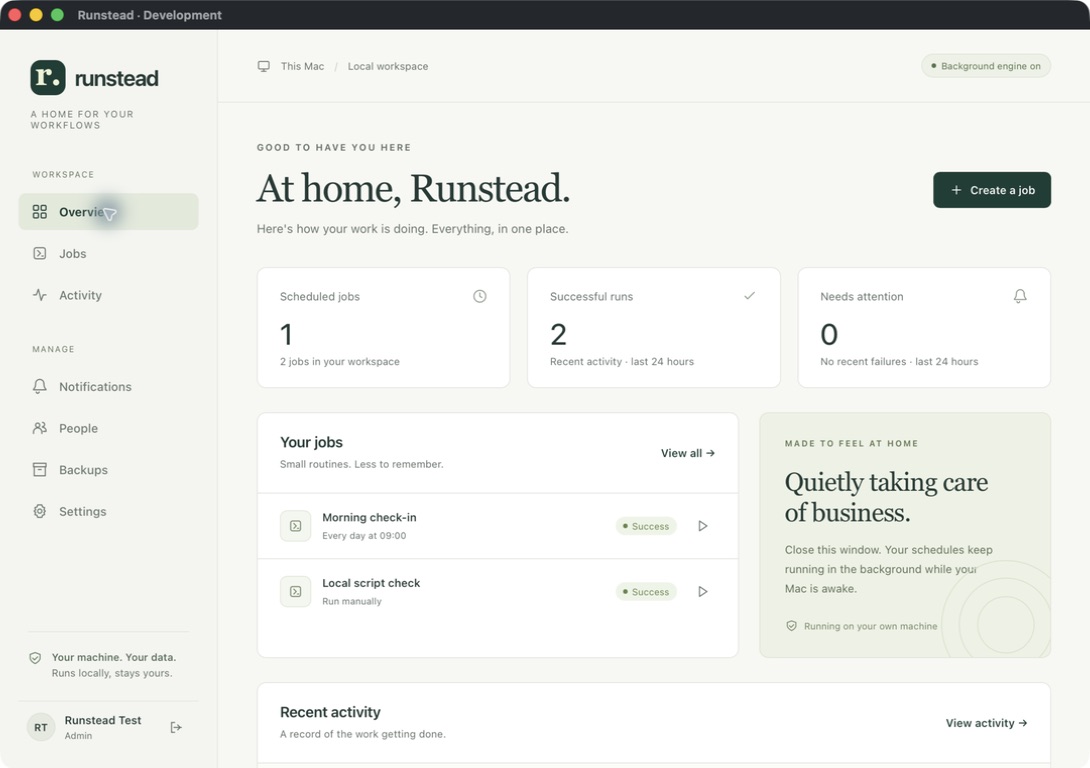
Your machine. Your workspace.
Runstead hosts the workflow engine on your machine. Your workflow definitions, execution logs, and backups are stored locally. Tasks and connected clients can send data to the services you choose.
Understand background operation →Keep Runstead running while you work. On macOS, closing the window leaves it in the menu bar. Scheduled work needs an awake machine with your user signed in.
Use scoped API keys for MCP and REST access. Remote access requires your own secure network setup.
The free plan holds one project. A Dagu Cloud account is only needed for Pro.
Start small. Make it useful.